
School profile and branding
Your school's details appear in many places at once: the website header and footer, report cards, fee receipts, admission letters, ID cards and emails to parents. Set them once under Settings.
General settings
- Go to Settings → General settings.
- Fill in:
- School name exactly as it should appear on report cards.
- Address, phone (in the +234 format, e.g.
+234 803 000 0000) and email. - Motto (e.g. "Knowledge and Character").
- Logo / crest — upload a PNG with a transparent background, at least 400 × 400 pixels.
- Favicon — the small icon shown in the browser tab.
- Time zone (Africa/Lagos), currency (₦ NGN) and date format are already set for Nigeria.
- Click Save.
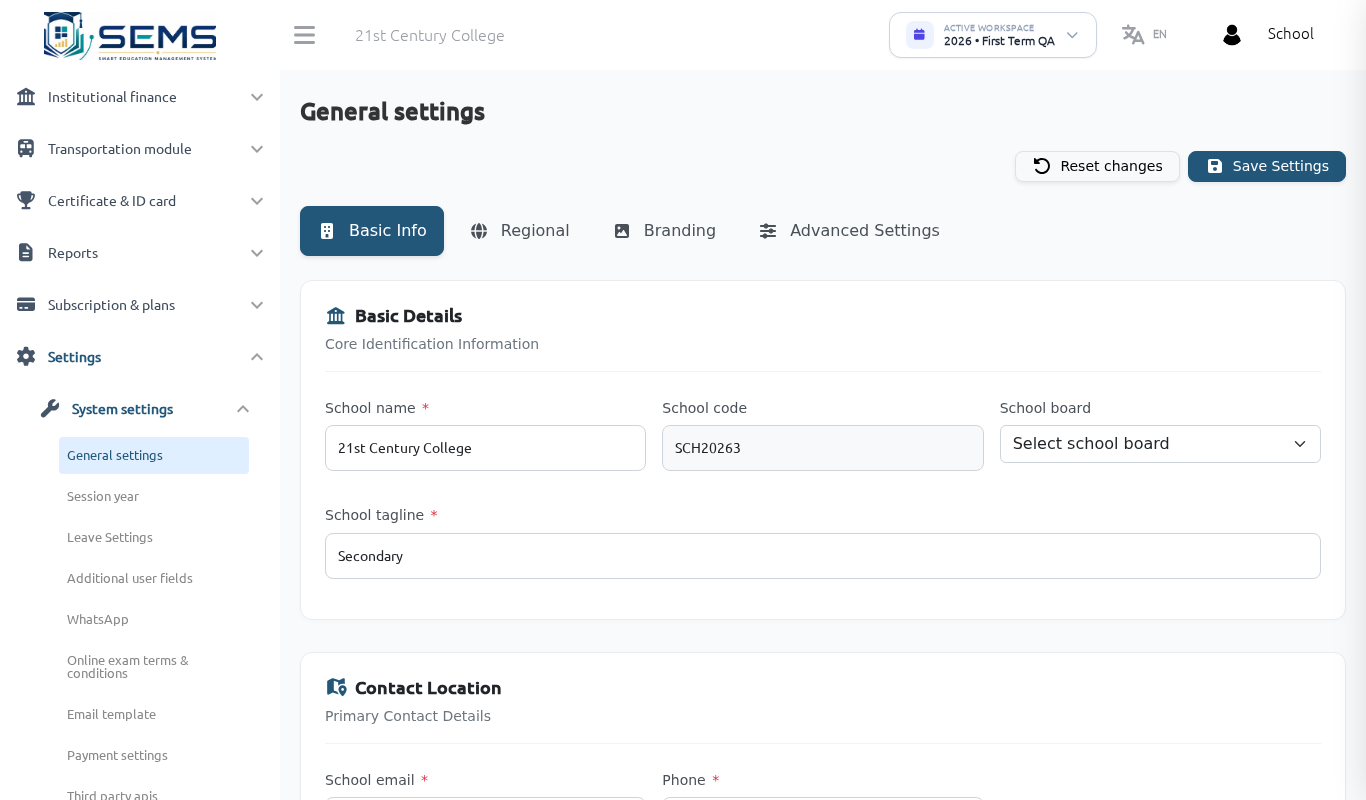 General settings — school identity used across the platform.
Session year
Under Settings → Session year, select the current academic session. Attendance, results and fees are recorded against the current session, so change this only at the start of a new session (see Sessions and terms).
Principal's signature and report-card details
The principal's/head teacher's name and signature image are used on report cards and certificates. Set them under Settings → General settings (signature) and choose the report-card design under Exam & Performance → Termly Report Cards → Template (see Results and report cards).
Public profile (state directory)
Every school also has a public profile in its state's school directory on <state>.sems.ng. Under School website → Public Profile you can update the description, ownership (public/private), levels offered (Nursery, Primary, Junior Secondary, Senior Secondary), LGA and ward, and contact details. A Verified or Live on SEMS badge is shown once your claim has been approved by the state.
Where each detail is used
| Detail | Website | Report card | Receipt / letter | ID card |
|---|---|---|---|---|
| School name, address, phone | Yes | Yes | Yes | Yes |
| Crest / logo | Yes | Yes | Yes | Yes |
| Motto | Yes | Yes | — | Yes |
| Principal's signature | — | Yes | Yes | — |
| Colours / theme | Yes | Template-dependent | — | — |
Common questions
The logo looks stretched on the website. Upload a square image (same width and height) for the crest, and use the separate horizontal logo field in Web Settings if you have a wide logo.
I changed the school name but the old one still shows. Refresh the page; if it persists, sign out and sign in again so the cached settings reload.