Fees and payments
What is due
Fees shows, for the selected child and the current term:
- Each fee item (Tuition, PTA levy, Books…) with the amount in ₦.
- Optional items you can add (e.g. Excursion, Extra lessons).
- Any discount granted by the school.
- Paid, Balance and the due date.
Previous terms are listed below with their payment status.
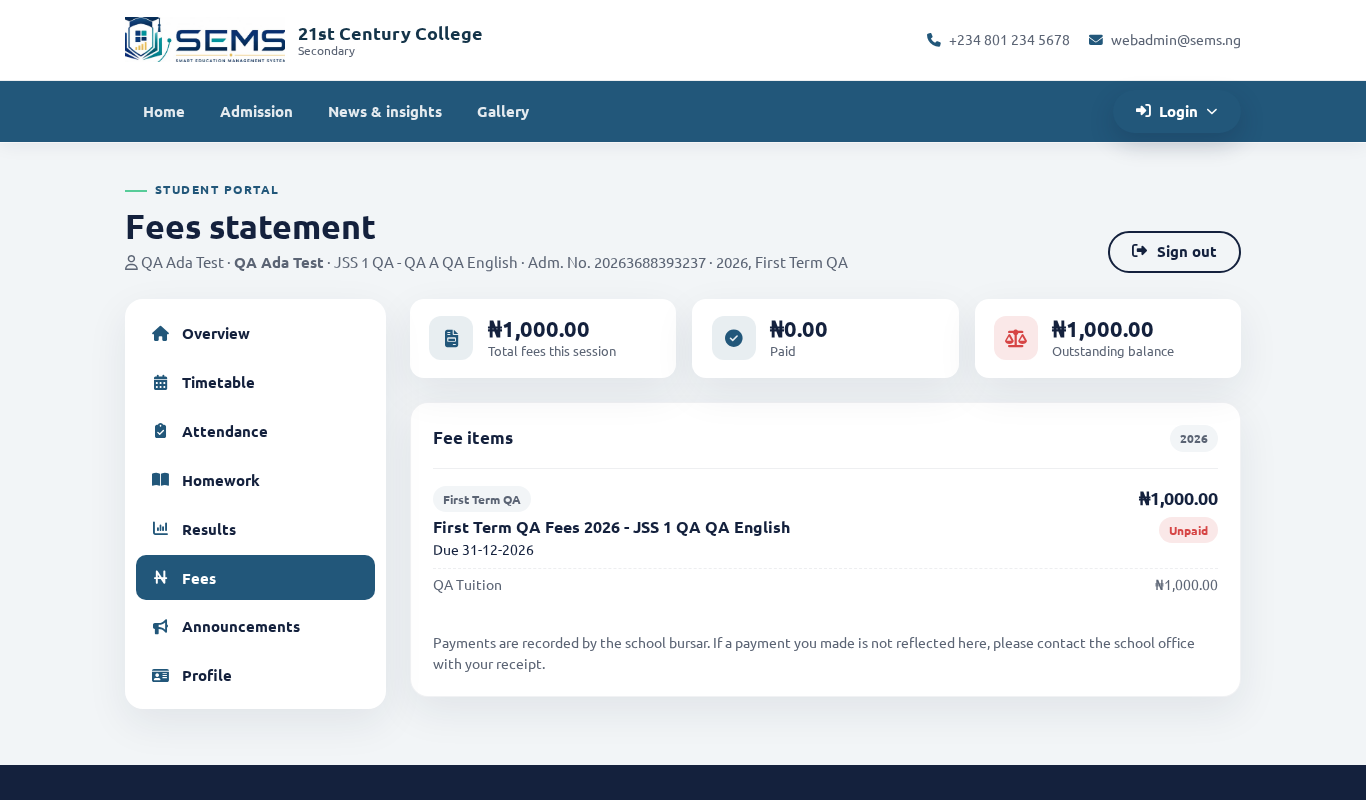 Fees for the term with Pay now.
Pay online (Paystack)
If your school has enabled online payment:
- Click Pay now. Choose Full amount or enter a part payment if the school allows instalments.
- You are taken to the secure Paystack page. Pay by debit card, bank transfer (a one-time account number is shown), or USSD.
- After payment you return to the portal and the payment appears in Payment history within a minute, with a receipt to download.
Payments go directly to the school's bank account through Paystack. SEMS does not hold your money. Paystack's fee, if any, is shown before you confirm.
Pay at the school or by bank transfer
You can still pay cash, POS or transfer at the school bursary. The bursar records it in SEMS and the portal updates; you can download the branded receipt from Payment history.
Receipts
Every payment — online or recorded by the school — has a receipt with the school crest, the receipt number, items paid and balance. Download or print it from Fees → Payment history.
Problems
- Paid but not showing: wait a few minutes and refresh. If it still does not appear after an hour, send the school office the Paystack reference from your bank/card alert.
- Card declined: use bank transfer or USSD on the Paystack page, or contact your bank.
- Wrong amount: contact the school — only the school can change fees or add a discount.