
Dashboard, timetable and attendance
Dashboard
After signing in you land on the Dashboard:
- Selected child's name, class and arm (parents: use the switcher to change child).
- Today's timetable and any upcoming exam.
- Attendance this month at a glance.
- Latest announcements and assignments due.
- Fees balance for the term with a Pay now button.
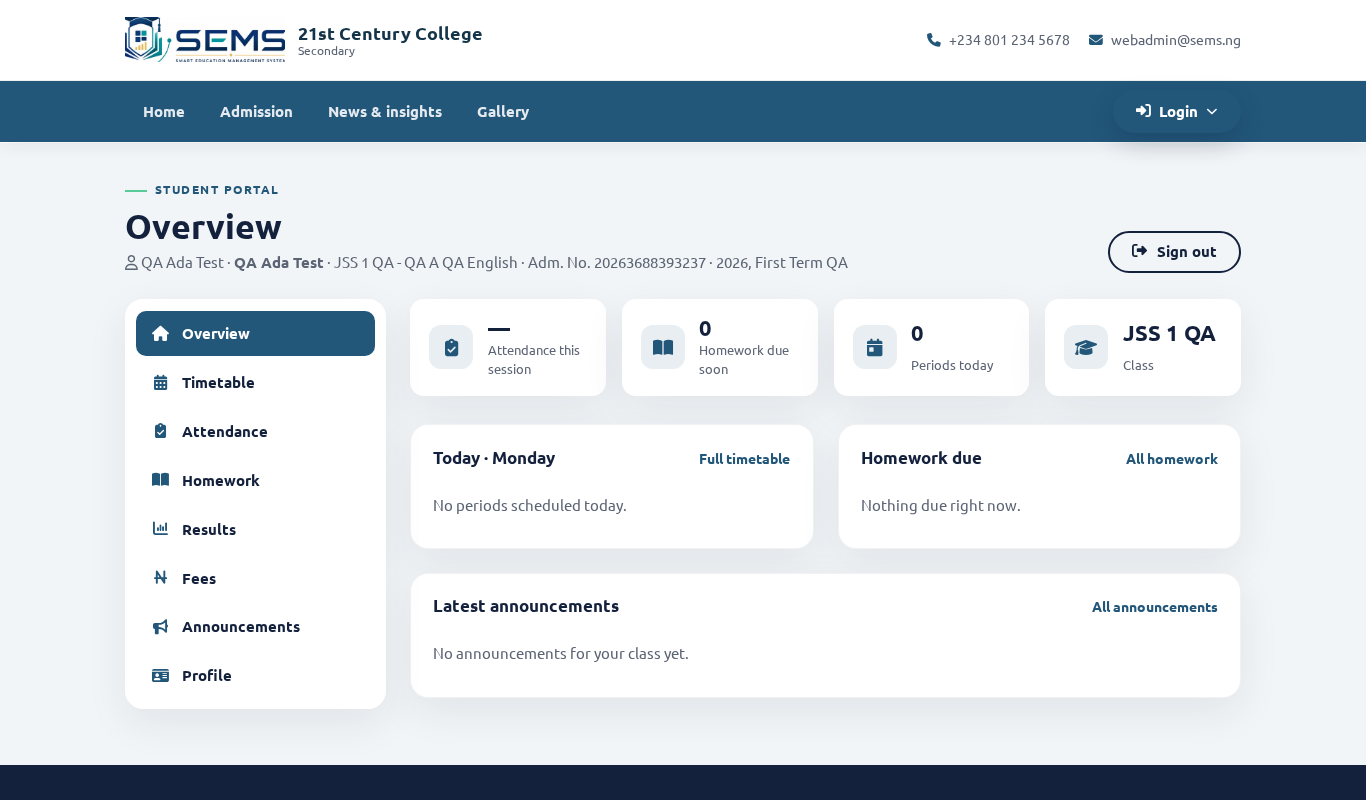 The portal dashboard.
Timetable
Timetable shows the weekly class timetable — subject, teacher and time for each period, plus breaks. Exam timetables appear under Results → Exam timetable when the school publishes them.
Attendance
Attendance shows each school day marked by the class teacher:
- Present, Absent, Leave (approved) or Holiday.
- A monthly summary with the percentage of days present.
Attendance is marked in the morning; if a day looks wrong, tell the class teacher — they can correct it.
Apply for leave
If your child will be away (illness, family event):
- Go to Attendance → Apply for leave.
- Choose the dates and reason; attach a medical note if the school requires it.
- Submit. The school approves or rejects and you are notified. Approved days show as Leave, not Absent, on the report card.
Notifications
Announcements, homework, results and fee reminders show a red badge on the bell icon (portal) or as push notifications (app).