
Attendance
Attendance is marked by the class teacher every school day, ideally before the first lesson. It feeds the report card (days present, absent and on leave) and parents see it the same day.
Mark today's register
- Go to Attendance → Add attendance (or Attendance in the app).
- Choose your class arm; today's date is selected.
- Every student is Present by default. Tap the students who are absent to change them to Absent.
- Optionally add a note (e.g. "sick — parent called").
- Click Save. A confirmation shows; parents of absent students are notified in the portal/app.
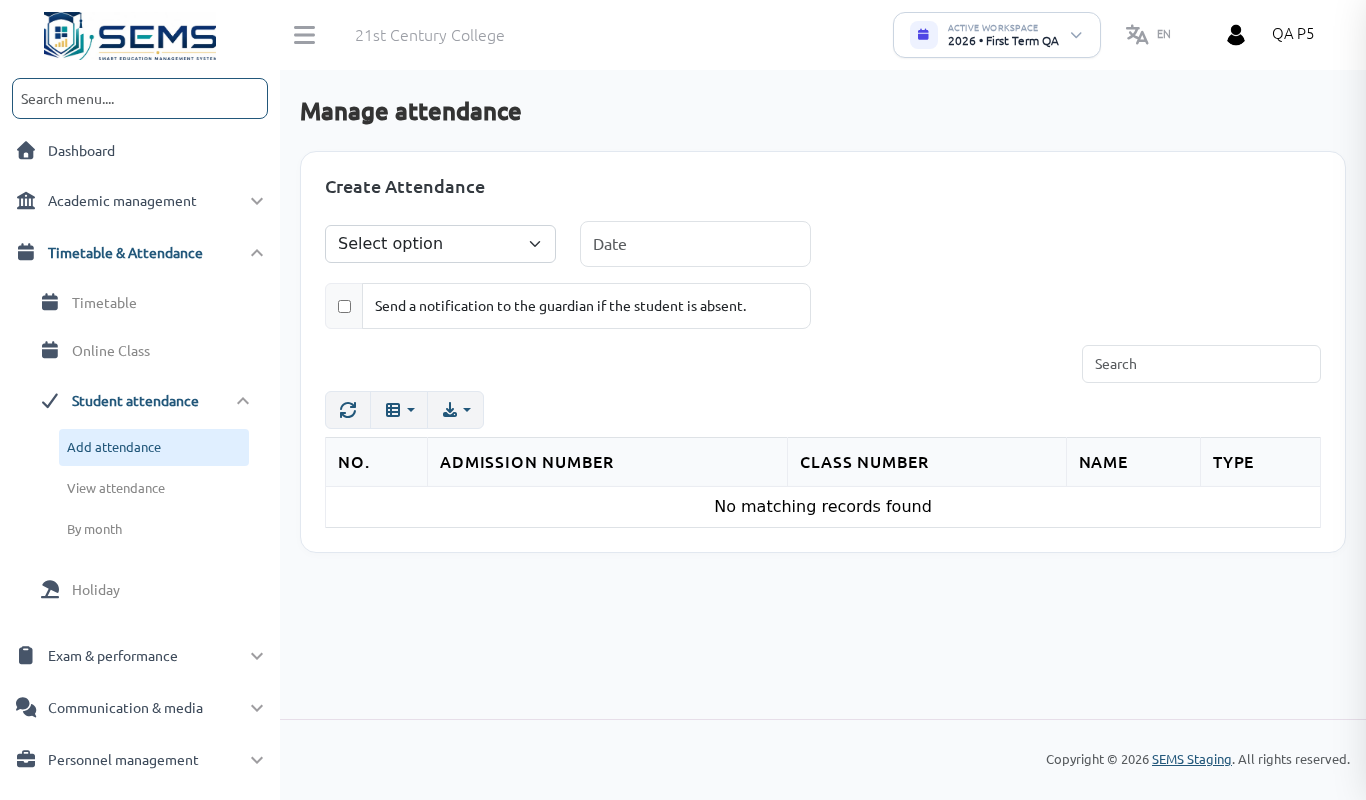 Marking the register.
Correct a mistake
Open Add attendance, choose the arm and the date, change the status and save again. You can go back to earlier dates in the current term.
Approved leave
When a parent applies for leave in the portal and the administrator approves it, the day is recorded as Leave automatically — you do not mark it absent. Leave applications for your arm are listed under Attendance → Student leave.
View attendance
- View attendance — one day for your arm.
- Month wise — the monthly register with totals per student. Use it at the end of the month to spot chronic absentees and tell the administrator or parent.
Holidays and weekends
Days marked as holidays by the school, and weekends, do not need a register and are not counted.
Tips
- If you forget a day, mark it the next day — the report card uses the actual dates.
- Do not mark attendance for a day the school did not open.
- In the app, attendance works even with weak internet; it saves when the connection returns.